Showing posts with label Linux. Show all posts

Monday, December 15, 2008

Rockbox - I hated it, now I like it


On iTunes I can be listening to a podcast or an audio book then pause and sync with my iPod. When I hop into the car and hit play it continues where I left off. If I plug in my iPod when I get to work and I have iTunes there I can hit play and continue right where I left off. I want to have the latest podcasts handy at all times, and it would be nice to have some music on my digital media player as well. Syncing with iTunes mostly satisfies this goal by allowing me to select what playlists to sync, including smart playlists (which can search by relative published dates like "this week"). The last I checked, iTunes only supports auto-fill on the iPod shuffle which has always confused me. I want to have my latest podcasts, and then don't waste the rest of the space... fill it up with some random music - it's better than leaving it empty.

Portable media players are built to be sold, which sometimes coincides with usability and customer satisfaction, sometimes not. People use these things when they are away from their computers - running, gardening, doing housework, or driving. If a player makes me stop running or makes me pull off my garden gloves it fails to follow it's primary purpose - play what I want and get out of the way. From what I can tell, most people don't listen to podcasts or audio books. They load the music, shuffle, and never touch the thing outside of an occasional skip forward. When you listen to an audio book or podcast you need to pause when you get a phone call or talk to the toll booth dude - music you just let it go. Sometimes you miss something and need to scrub backwards. Often you need to fast forward past commercials. Podcast listeners also update their player daily, something that music-only users are unlikely to do. These features do not seem unreasonable, but most players perform badly with these requirements, and the iPod is no exception.

This is all fine, except I don't use iTunes. My computers these days are filled with Linux goodness. Linux distributions normally include Rhythmbox, Banshee, or Amarok depending on which way you swing. I don't have much experience with Amarok, but as of today Rhythmbox and Banshee both are unreliable for use with a portable media device. Yes, you can get them to work once, twice, or five times in a row, but that sixth time is a big fat failboat. They are sooooo close to being good, but in the meantime I end up not listening to my podcasts in the car.

The iPod is designed to work with iTunes and specifically attempts to lock out third-party clients - even though Apple doesn't make a client for my platform. MTP devices as I understand are more open to different clients - but that still has not led to a reliable experience for my MTP device.

Banshee supposedly worked well syncing MTP devices, so I scored this Sansa c240 for $20 in hopes of being able to reliably listen to podcasts in my car again. Nope, it was no more reliable than the iPod - it'd flake out every few sync attempts. The firmware on this bad boy was beyond horrible. Each time the device starts the volume is at 50% - no matter where it was last time. To turn up the volume you must find a song, play it, then press the volume up button about ten times (can't hold it) to turn it up all the way. On the plus side, at least it will remember where you were in a song if you happen to navigate back to the exact same track after booting. Oh booting - that's another thing. It took about ten seconds to boot this thing up which is a long time to sit there waiting to find a song so you can turn up the volume. The default theme made it near impossible to see what was selected, and scrubbing through a track was super slow and difficult.

Enter rockbox, an open source firmware for a number of media players that is loaded with features. I had tried rockbox in the past on my iPod Mini, but was turned off by the unnecessary complexity of the system. This weekend though I put the latest rockbox on my Sansa, and I am rather impressed. After messing with the settings I now have a player that boots up much more quickly and resumes my podcast exactly where I was last. I solved by syncing problem quite simply - by not doing it. The Sansa is a mass storage device so I can just copy things to it manually - but once I get off my butt I'm going to just set up rsync to automatically make sure I have only the freshest of podcasts loaded when I plug it in. Rockbox can build it's database on startup, which so far has been working quite well. With the iPod or Sansa syncing with Banshee it would always rebuild the music database, which blew away the bookmark on what I was listening to - and I spend half the drive home trying to scrub through an hour-long podcast trying to get to where I left off.

The games and applications with Rockbox are quite impressive running on this craptastic Sansa. I particularly like bubbles, which appears to be a rebuild of Frozen Bubble, a simple Linux puzzle game. Once I get my podcasts syncing correctly I'll probably write up a script to do an automatic playlist generation. I'd like to have a playlist each day that sorts my podcasts by published date so I can just play the top item to hear the latest content.

Wednesday, April 16, 2008

Nautilus Google Docs Uploader

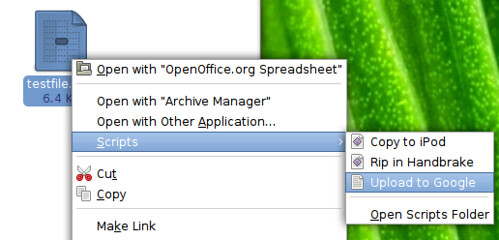
Right click, upload to Google.

I have been slightly interested in python for a while, but just never got around to actually writing anything. Not that I am enough of a programmer to be particularly swayed by one language over another - but the path of least resistance for writing plugins and such for the Linux desktop seems to by python. This was a simple project that taught me some basics, and since there isn't a nicely developed perl module for the Google API I went on with the python.

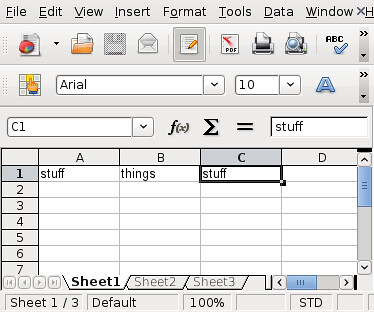
Lets say you just made a little spreadsheet in OpenOffice

Openoffice

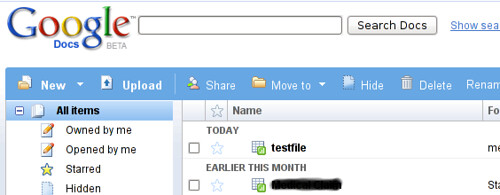
Now you want to share that amazingly complex spreadsheet with your lawyer on Google Docs

Upload

Now it's up there...

google docs

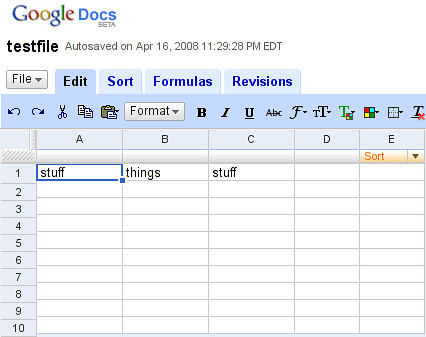
and you can edit and share with friends

google edit

Nautilus, the Gnome file manager, lets you drop scripts of your choosing into ~/.gnome2/nautilus-scripts/. When you run the script on a file through the right-click menu the file name gets passed to the script. I knew this was possible, and have played around with OS X folder actions before, but I have to say that in practice this is a lot easier than AppleScript to me.

Grab the python script yourself, download and install the gdata python API, edit the file to have your own username/password, and right-click your way to uploading fun. Disclaimer: this is just a quick and dirty thing, do not expect it to be good.

Wednesday, February 6, 2008

dotmac, not .Mac


dotmac


Apple has a service called .mac that fanboys love and unwitting consumers are convinced to buy when they buy a new mac. To me, I've never thought of buying this $100/year service that includes a mac.com email address, 10GB of web storage cutely named iDisk, web hosting, and some synchronization and backup tools. I've got an email and web server / webdav server already, and $100/year seems like a lot of bread for some sync capabilities. They also have something called Back to My Mac which is effectively just VNC access to your home machine without having to forward a port through your home firewall.

There is a great young project out there appropriately named Dotmac for folks with their own server that don't mind fighting through some incomplete documentation. $0/year is a good price for those sync features I'd say. I've got it running and I am pretty impressed. It is running happily on my home server and just works. Stacey and I have a nice shared address book now and I've got backups for things like my keychain, calendars, and dashboard widgets. Not too shabby.

Saturday, November 24, 2007

Trying to Actually Use Ubuntu

It has been a couple weeks since I switched to Ubuntu on my Macbook. It's one thing to use Linux at work, but using it at home as a replacement to OS X has brought up new challenges. At home I like to watch and rip movies, listen to music and manage my iPod, manage my pictures and upload them to Flickr, and share all these things between the computers in my house. Mostly, things are going well, but it can be hard to figure out what actually works and what is a waste of time.

Hardware

Before even addressing software issues, I needed to get the hardware working. For the most part all of my hardware just worked. The special keys on my Apple keyboard even worked for changing the volume.volume changing
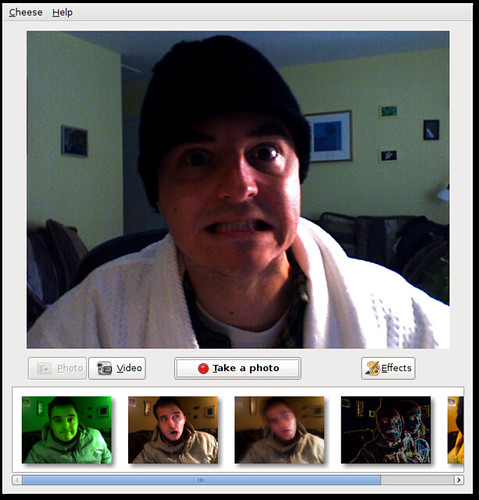
I was able to mount my HFS+ formatted firewire drives and my FAT32 formatted USB drive from work with no problems. An all too typical search through the Ubuntu forums gave me the necessary configurations to get my bluetooth mighty mouse and wacom tablet working. I even got my iSight built-in camera working with a Photobooth-like application called Cheese. Unfortunately, this was another trip to the web to figure out how to get this going.
Cheese
Surprisingly my Apple remote control just worked with Totem and Rhythmbox, I may get back to that though and do some customization. With Xorg we are finally moving toward being able to configure X without needing to edit xorg.conf. In many situations all the necessary configuration will be auto-detected and "just work" but in my case, trying to run an external monitor only, the GUI tools actually just botched my xorg.conf - and I didn't have a good way to revert other than my backup I had made on the command line. Really I'm not so sure that the GUI configuration is as good as even Windows 98. After some xorg.conf battles I was able to get my external 24" Dell monitor working beautifully at 1920x1200. Still, I look forward to these tools getting better in the future with true "bullet proof" X.

Music and Podcasts

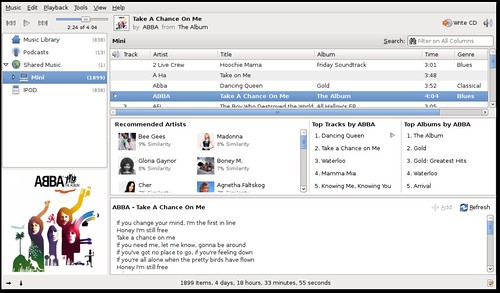
There are a buhjillion applications you can use to manage your music and podcasts in Linux and none of them can hold a candle to iTunes. The big four are probably Rhythmbox, Amarok, Banshee, and XMMS. I immediately discount XMMS and it's 1996 stylings - this is really equivalent to the first version of WinAMP ever. At work I've been using Rhythmbox, mainly because it doesn't choke and crash when importing some of the more dodgy tracks in my 16-thousand-deep music library. Amarok doesn't coke either, but it is so bulky and impossible to figure out - it's like the emacs of music world. Add to that the fact that it's KDE based and doesn't seem to support all the features I want without configuration and its a non-starter for me. Both Rhythmbox and Banshee have nice DAAP support, so I can share my music on my home network. Unfortunately neither can read from an iTunes share because Apple made iTunes incompatible. I can get around this with the Firefly DAAP server on the Mac. Banshee shares also seem to be unreadable on iTunes, but Rhythmbox shares are perfectly readable. After all of this I think I have settled on Banshee.
Banshee Music Player As you can see here, Rhythmbox looks pretty darn similar and would be comfortable to anyone who is used to iTunes. Rhythmbox
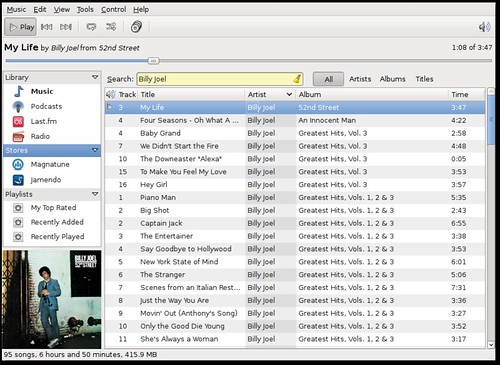
One of the big things I love about Rhythmbox is the half-broken lyrics plugin that can grab lyrics from the web. After digging around I managed to find a similar plugin for Banshee that actually works much better. Banshee can grab podcasts for me and sync with my iPod, but good luck if you have a small iPod and want to sync only certain playlists or files. Fortunately the Banshee folks have a roadmap that I think puts them in the right direction. They are reworking the iPod support, and will be adding new features like a play queue - a feature I love in Rhythmbox and wish that iTunes had as well. Banshee does a great job with album art and giving me recommendations of other music. Last.fm support is also there for audioscrobbling (sharing what I've been listening to with others). I think this is a great tie into the social web and someplace that I hope iTunes goes as well. Of course, Banshee is just a music player, so for my video podcasts I need to go elsewhere. Of course it can burn a CD and rip music and all that other shit I'll never do.

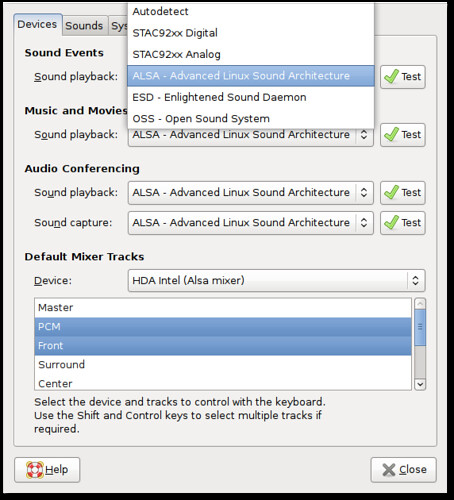
Sound is beyond terrible on Linux. Acronym soup will confuse the hell out of you and ultimately the solution is to just pray that it works. To make the volume control on the keyboard work the way I want I had to go into the sound applet and control select two items - that worked, but who the hell can actually figure this out. OSS, ALSA, blah blah blah. It's far too confusing. PulseAudio is the latest buzz, but I still betcha sound is going to be confusing as hell.
Sound Configuration

Video

Ok, so there are a few things I do with video. I watch video podcasts, I rip DVDs, and I just watch the ripped or downloaded movies. iTunes was nearly worthless for this. The restricted codecs manager makes it fairly easy to get the right codecs. The only problem is that by default Totem, the built in movie player, uses the gstreamer back-end. I'm not sure why, but for highly compressed video there is no post-processing on by default. This wasted hours of my time looking for a solution. I managed to fix it without replacing the gstreamer back-end with xine, but I don't know how I did it. For some reason every video engine tries to use XV. I don't know, or care what XV is, but with my Intel video card I need to figure out how to switch everything to X11. Scrubbing through videos also bites with Totem - not necessarily worse than Quicktime though. I prefer Gnome-Mplayer which has beautiful post-processing and scrubs through beautifully so it's easy to get back to where you were or scrub back to see something you missed. I also like the fact that with both mplayer and totem that I can strip them down to a nearly interfaceless window. On the mac I used NicePlayer for this same purpose.

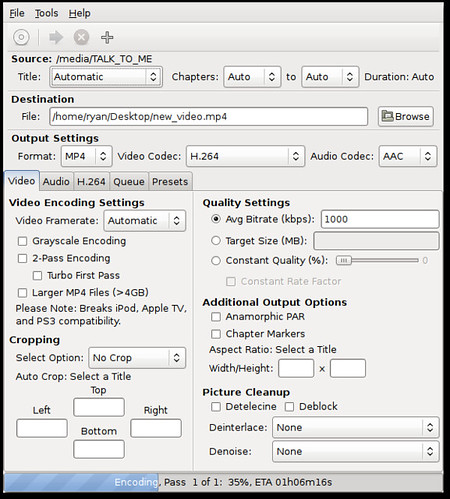
For ripping movies I use Handbrake. Some dude finally put together a good GTK based front-end for Handbrake which seems to work well enough.
Handbrake
Not too much to say beyond that - it just works.

My video podcast client of choice is Miro, which is kinda like an open-source Joost. The cool thing is that it can do torrent based rss streams, so I can get real tv using tvRSS or something like it. It is not perfect, but it seems to work well enough, better than iTunes anyway.

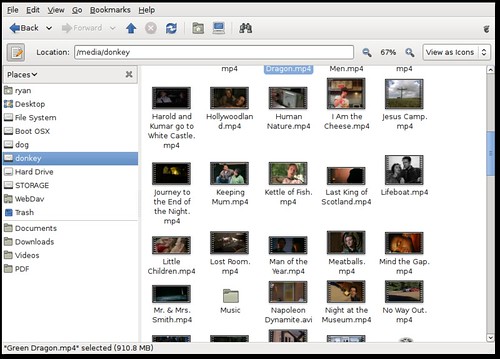
Also, Nautilus is great at giving me information about a video and showing fun little keyframes. Check it out.
Nautilus File Manager

Photos and Graphics

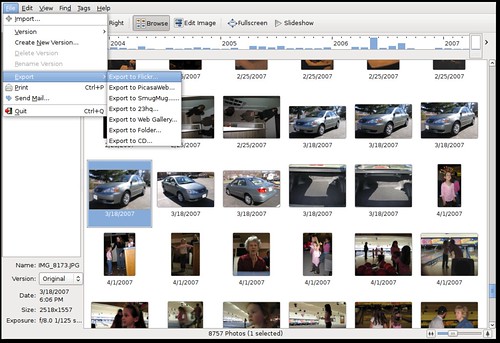
I have not finished testing this all out, but right now f-spot is working well. It indexes all my pictures without choking on its own vomit like iPhoto sometimes did with my library. It works with my Canon raw format, and can launch Gimp for more advanced stuff. I still need to recreate all my albums though. It's much faster than iPhoto, but certainly is not as fancy and pretty. I can send my pics right out to Flickr without any trouble - it just works. Here's a shot of it.
F-Spot I almost don't care so much about albums on my local computer - that's mostly for sharing and I can manage them well enough on Flickr. The big thing for me is being able to import easily, do small tweaks, and get them up on the web without much effort. F-Spot wins in that regard.
Desktop Search

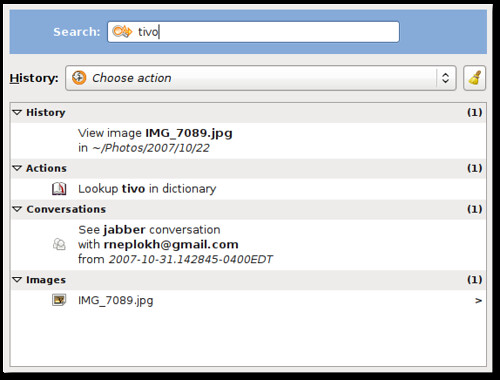
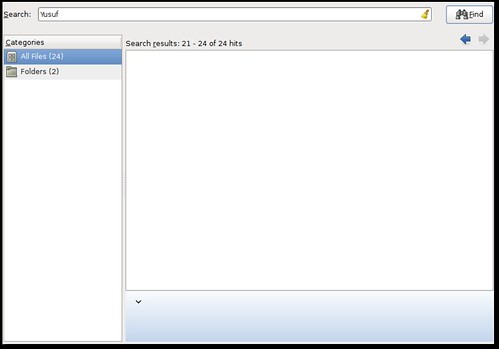
Ok, desktop search still sorta sucks balls on Ubuntu. On Tiger, spotlight sucked as well - slow and unreliable. Leopard however flips that on its head - so I sure hope there is some rapid development on the Tracker front (the default indexing tool in Gutsy). Deskbar is a nice quicksilver-like launcher I use. It is a plugin based search bar, so it can do things like look up words in the dictionary, launch applications, or search with Tracker. The only problem is that Tracker just plain doesn't work reliably for me. It flips out and either returns no results when I know there should be results, or it somehow thinks all my images are great results for just about every word I type. I don't see a lot of utilities built in to troubleshoot either. Anyhow, here are the screenshots.
Deskbar
Crapper - err I mean Tracker

Other Stuff

So here are some other things.

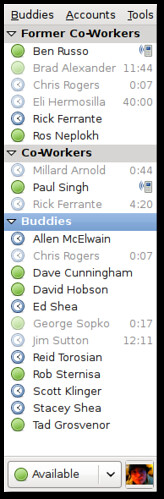
Pidgin rocks, but it still has a long way to go with features. Of course voice and video are the most requested, but for those who want VoIP there is a built-in softphone called Ekiga. Pidgin works with every protocol, and can sync in some ways with the Evolution address book. I can tweak it just how I like, to be small and out of the way.
Pidgin

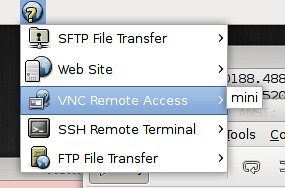
I'd really like to see more zeroconf stuff in the Linux desktop. After some tweaking and installing of tools I have a great view into DAAP shares, ssh services, and Bonjour printers on my network - but the integration could go a lot further.
Bonjour

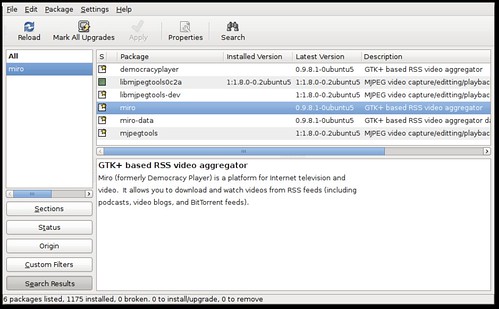
Maybe the best thing that Ubuntu has over OS X is central management of all my software updates. It's easy to find new software, install it, and upgrade it. This is just the way it should be. I usually use Synaptic, which is the more advanced software install tool.
Synaptic

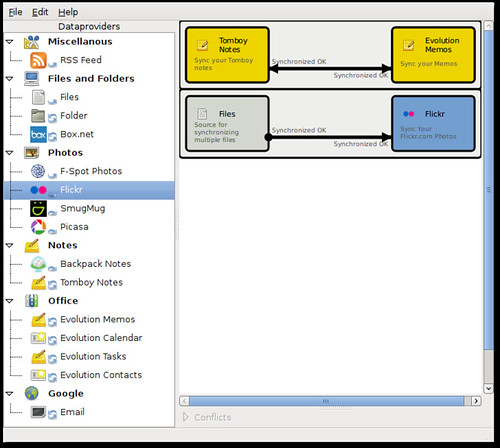
On OS X, iSync is so so close, yet so far away. Conduit is a very raw and new tool (meaning buggy as all get out) that can sync the stuff you're interested in, like photos and notes and all that. It is actually working for me right now, but it's really a manual process rather than syncing when a device is connected or on a schedule.
Conduit

Evolution, the calendar, contacts, and mail client in Gnome, is feature rich, but buggy as hell. I'm still sorta surprised this was included with Gnome when it was. Web calendars seem to work great - even integrating with the clock. The contacts manager though seems to flake out way too easily. I'm trying to submit bugs where I can.

That's about it really. There are plenty of problems, but most I have been able to overcome. I really think Linux can become an easier solution than Windows or OS X in the future, and I hope the community and distributors continue to focus on ease of use. I don't have any show-stoppers so far, so I'm pleased.

Sunday, July 1, 2007

Coverflow... meet fleow

Sometimes I don't understand why in the commercial software world companies like Apple purchase companies like coverflow. There are amazing folks in the open source community like Macslow and David Reveman that continually show that innovation requires little more than dedication and one very talented individual.

Anyway, here is a plugin for Banshee called fleow. It basically does what coverflow does, then some. Sometimes commercial software is one step ahead, like with digital video editing - but watch out. Open source is communal, counterintuitive, and a force to be reckoned with.

Friday, February 9, 2007

Cricket

Cricket Graph

So I've been messing with cricket a bit for monitoring interesting SNMP bits and bobs.

You'll find some basic documentation on getting Cricket up and running, but I felt overall that it could be significantly improved. That said, I'd just like to offer a few notes that took me way too long to figure out.

If you've got a UCD-SNMP host and you want to build a targets file automagically, take a look at the ~/cricket/util/systemPerfConf.pl script to build that stuff for you - it'll save you a lot of time.

You can just add folders to your heart's content within ~/cricket-config, but the poller isn't going to grab those top level folders i.e. router-interfaces unless they're listed in ~/cricket/subtree-sets. I have no idea why they need to be listed here.

Expect the sample config trees in ~/cricket/sample-config to have problems - ~/cricket-logs/normal.0 is your friend.

For grapher.cgi, get a stylesheet going, because that interfaces is ugly. You'll probably have to hack on grapher.cgi to add in some id's or classes. Get ready to see some ugly html hard coded colors - uuuuuugly.

Speaking of hacking on grapher.cgi, the search that shows up at the bottom of the grapher is pretty useless unless you put in attribute=value pairs such as display-name=SERVER1. It really is that ghetto, but this post gives a little hint at how to fix it.

Tuesday, June 27, 2006

Handbrake for Linux


Well, I managed a while back to compile Handbrake for Ubuntu (Dapper Drake). It was a pain and I'm not sure many other people have it, so here is a binary if you're interested.

I've also been working on a GTK front-end using the uber-easy zenity. It's not very good yet, but its a start.

Sunday, March 26, 2006

Move over Bacon


Rotation

Originally uploaded by ryanmshea.


There are people out there that put away their 12 sided dice just long enough to perform benchmarks on disparate computing platforms. They test floating point operations, 3d gaming frame-rates, and if they're feeing particularly pragmatic, office productivity metrics. One thing they've never quite been able to measure well is FUN.

I know there are plenty of people out there that punch their time card, sit at a desk for eight hours, then go home - never caring in the least whether they enjoyed their computing time. Not me, I actually like working on computers that do fun things. If my computer took three times as long to open an Excel spreadsheet, had half the Quake 4 frame-rates, but I never yelled at it in frustration and smiled every once in a while at its coolness - my friends, that would be the computer for me (disclaimer - I don't use Office Productivity applications or play 3d games).

OS X has had a corner on the market for fun computing for quite a while. The lack of spyware and viruses is just a bonus. Now, my happy dual G5 has taken a back seat in the fun department to my wonderfully beautiful Linux desktop. Thanks to my new hero David Reveman over at Novell, the next generation of Linux desktops will be chock full of eye candy - or as many would say "useless eye candy". Those that say that of course find no utility in fun... they also roll 12-sided die, shower infrequently, and the closest they've been to a woman is watching reruns of the Golden Girls.

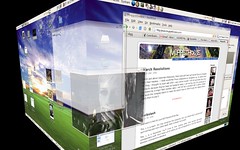
I've got virtual desktops that are finally usable. I've got kick-ass ways to switch between applications, both with a cool alt-tab function and with the Expose'-done-right knockoff feature. Lets not forget the true transparencies and crazy zoom accessabilty feature. Thanks to all these features (and wobbly jello windows) I can interact with my computing environment in a much more organic way. I love it. Get Ubuntu, use it, become one with it.

Monday, February 6, 2006

Better than Solid State and BeOS

NovellDon't even read this posting. Just watch the videos. Watch them over and over in VLC or MPlayer or something like that. They work in quicktime on my system but your mileage may vary. Just fucking get VLC and watch and rewatch these videos:


video1|video2|video3|video4

The better part of a year ago I blogged about luminocity , which is as I understand it the development branch of metacity that is mostly worked on by Red Hat employees. Around the same time we started hearing about XGL, which promised to bring many of the eye candy of OS X to the Linux world. Some people may wonder how gratuitous transparency and wobbly windows help us get work done. Forget those people. Do you ask how a hot girl would help make babies? Do you ask if the sports car you dream about would be practical? Some things are just about sexyness - and this is pure hot dorky lust. My boys over at Novell are bringing something exciting to the boring world of desktop linux, an I applaude them. (full disclosure - I am a Novell Stockholder)

Thursday, March 24, 2005

Marketing and Eye Candy

Watch this video. VLC will play it - I don't know about you Windows Media Player people out there - probably won't work.

As I am immersed in an engineering environment, pragmatism and nuts-and-bolts solutions solutions are everywhere. Practicality is fine and good - but lets be honest, there's something to be said for just plain coolness. I like OS X because its fucking cool looking and more fun to use. "More fun" and "fucking cool" aren't normally on engineering checklists, so I'd like to offer up a few examples of hot versus not.

The hula-project was recently released. Lets be honest, it's just a mail server right now with a rather cool web interface. It has scalability, an object oriented layout with functionality for spam filtering, address books, and calendaring. The project is only a few weeks old, and isn't particularly practical to use yet... but its got a damn cool logo and a good webpage. Hot. Conversely, opengroupware has been around for a couple years, is actually used by people in production environments, has more functionality in a fun bulleted list... but its got an ugly-ass web page and most of the developers are Germans. Not hot. Cool people like Nat Friedman are behind Hula and they have some innovative ideas. Hot. Germans and ugly webpage - not hot. I can tell you that I'm much more excited about Hula than OpenGroupware.

Tuesday, March 8, 2005

m0n0wall, Ubuntu, & Pergo

flooring sucks
After the sheet vinyl flooring disaster in my kitchen, the subsequent commercial vinyl flooring project, and now the Pergo project at Stacey's place, I hope to be done with flooring for a good long while.

I'll state the obvious: I get obsessed with dorky things for rather limited amounts of time, then move on to newer, more interesting projects. I have been playing around with Ubuntu Linux lately. Although I've always been a Red Hat guy, the Debian side of the fence is not without its charm. I'm still ramping up, but I'm quite pleased with Ubuntu's performance on the craptop work gave me, as well as on my work PC. Also, I've migrated my home network off of the Xincom dual-wan router I had and over to the Soekris Net4501. M0n0wall has been running on that thing for quite a while acting as my wireless access point, but now that I'm reducing devices I am beginning to see how powerful m0n0wall is. I'm trying to figure out the PPTP server that is built in, but have had only limited success so far. Anyone else out there have a fun technology to share?